Saturday, 24 August 2013

The 12 Must-Have Skills Of Modern Learners


via Edudemic via User Generated Education

I consider myself a modern learner.  I participate online, share ideas and resources with both students and teachers (known and unknown) and collaborate with others, working towards a greater good. This infographic made me stop and reflect on how well I am providing opportunities for my students to also develop the skills of a modern learner.  It is a great summary of not only the so called "21st Century Skills" we hear so much about but takes it a bit further in its consideration of values and the characteristics of an independent learner.

  1. Critical thinking and problem solving
  2. Initiative and entrepreneurialism
  3. Curiousity and imagination
  4. Hope and Optimism
  5. Self-regulation
  6. Vision
  7. Empathy and global stewardship
  8. Resilience
  9. Grit
  10. Agility and adaptability
  11. Collaboration across networks
  12. Effective oral and written communication  

In considering this list I stopped and considered (even looked up) exactly what was meant by grit and resilience.
Grit (psychology) is a positive, non-cognitive trait, based on an individual’s passion for a particular long-term goal or endstate coupled with a powerful motivation to achieve their respective objective. This perseverance of effort promotes the overcoming of obstacles or challenges that lie within a gritty individual’s path to accomplishment and serves as a driving force in achievement realization. (Wikipedia)
Psychological resilience is an individual's tendency to cope with stress and adversity. This coping may result in the individual "bouncing back" to a previous state of normal functioning, or simply not showing negative effects. (Wikipedia)
Thanks Wikipedia for a quick definition of these two terms and a new insight into the huge favour I will be doing my students by ensuring that I intentionally integrate opportunities for them to develop these skills - not that I don't - but I believe that the intentionality is important. I've been spending a lot of time lately thinking about ways to more effectively develop my relationships with students and the idea seemed to logically flow that this makes it far easier to tap into their passions and thus provide opportunities for them to develop their perseverance or grit through overcoming difficulties and carrying on. Resilience seems a little more tricky - it's not like I'm going to traumatise my students so that can learn to bounce back.  Providing constructive feedback and opportunities for others to do so in a safe and nurturing environment still seems like my best bet but if you have other ideas please comment at the bottom of the post, I would love to learn from you.

Wouldn't it be great if we could all include all of these skills and attributes into every unit of work. With a little creativity, well crafted essential\inquiry questions and the willingness to "let go and let our students" it is possible. In fact, isn't it just a case of practising what we are preaching.

Sunday, 18 August 2013

Think Club's Greatest Hits - Adrian Bruce

Think Club is an afternoon club for school kids to explore a myriad of tech tools to discover the ones which inspire, capture their creativity and help them find their passion.

The guiding principle behind Think Club is Rapid Skill Attribution.  Some resources on this:

The Matrix Guide to Rapid Skill Acquisition


Adrian Bruce's Website

RC Desk Pilot

http://rcdeskpilot.com/


Flight Gear

http://www.flightgear.org/download/http://www.flightgear.org/download/


Puppet Videos

Encourage students to step out of their comfort zone and begin video production with puppets, bad jokes and any camera (phone\ipod\flip....) Step out of your comfort zone.

Sketch Up


http://www.sketchup.com/


Export from Sketch up to Lumion Free


http://lumion3d.com/free/


Sculptris

http://pixologic.com/sculptris/


Muvizu

http://www.muvizu.com/What-is-Muvizu


Virtual DJ

http://www.virtualdj.com/download/free.html


Serious Games

Re-Mission

A game for learning about cancer
http://www.re-mission.net/


Sparx

A game to help teenagers learn about feeling down and depression.
https://www.sparx.org.nz/


Atmosphir


Teach game design

Link to download

Cartoons


Machinima - using screen shots from games to make cartoons

Macbeth in Machinima

Cartoon Dave

Go Teach This

Tools for teaching Reading and Mathematics - nearly ready - still in testing phase

http://www.goteachthis.com/

Taking Learning Analytics back to my school from ELH School Tech 13

Friday, 16 August 2013

Khan Academy Crash Course

This blog is in no way a replacement for the full Khan Academy Coach Resources but is designed for a teacher workshop to get secondary school teachers up and running using Khan Academy with their students.

Purple italic text requires you to do what is asked.

Why are we doing this?
An email received by the Head of Maths from a student...

"Oh my god Mr Martin, I used Khan Academy to understand Riemann sums and it is literally the best thing ever. I have never tried it before and I understood it completely (I think) and it has made my assignment so much more clear (I think). You are a genius!! Peace owwt"

Being a Student


Sign into Khan Academy using "Sign Up" and your Google Account
Teacher sign up instructions


A Tour of the Khan Academy Site for Coaches (Student Interface)


Student section goes to 6:15

The Dashboard

On your dashboard (the opening screen) you will be prompted to do the pretest - complete this pretest. Notice when you are finished that the big box at the top will start to fill up with little blue coloured boxes.

Continuing to work on these dashboard tasks provides a lot of background information so that content is accurately pitched at the correct level for students (Start not practice).

Start the next topic you are prompted to perform.

Khan Adacemy has some interactivity.  Scratchpad allows free hand drawing on most questions, manipulative data tables, graphs and diagrams.


This is a great way to learn Maths for fun or to expand your skills generally.


What information can you find out about your skills already:

  • Areas in which you have mastery or a high skill level (the darker the colour of the little box the better you have demonstrated that you are)
  • Areas that you need to work on (the red boxes - obviously Maths teachers won't have too many of them unless you wanted to see what getting questions wrong does)
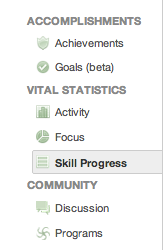
  • Click through the vital statistics on the left to see how you are going (looks like the picture to the right).


The Knowledge Map

The reality is that students generally study discrete topics for a period of time before moving onto another topic unlike the way the dashboard operates.

It may be appropriate to use the knowledge map to search out the specific topic you want to learn.

Click on Learn in the top left of the dashboard screen, and select Knowledge Map.


Down the left, suggestions are made.  These become more appropriate the more the student interacts with the software as more data is gathered.

On the right is a large image which can be dragged around to find a particular topic of interest or study.

Click on a topic.

Three columns of information are shown:
  • where this topics fits within the big picture
  • a real world context for the mathematics
  • a program of study - the arrow is play for a video; the * is a quiz to see whether the student understands.  When starting, students may wish to jump straight to the test to check their knowledge and only go back to the videos if they lack understanding of the topic.

Navigating to the Topic

You may wish to take the more direct path; click learn at the top left > select maths > select your area of study > and select a subcategory


Once you choose a subtopic on the right you navigate to the same course of videos and quizzes you got to via the knowledge map.


Being a Teacher \ Coach

Click on Coach next to learn to see the options


Below is a selection of the resources in the "Coach Resources" section - if you can find time you may like to look at these more thoroughly in the future.

A Tour of the Khan Academy Site for Coaches (Coach Interface)


Download the Quick Start Guide for Maths Teachers

5 Easy Ways to Start Using Khan Academy

What makes a Khan Academy Classroom?

  • Meet the needs of each learner
  • Create an interactive and engaging learning environment
  • Use data to inform instruction (provides effective feedback)
can be a challenging transition to let go of control over pace of the content, however, teachers who do make the transition enjoy the increased time with each learner
The Role of the Student
Students should be encouraged, at every stage of the learning process, to adopt an active stance toward their education. They shouldn’t just take things in; they should figure things out.
Data Driven Instruction


Log out by clicking the arrow next to your name at the top right and selecting Log Out 
Demo Data - click this link and select "Access Demo"


Download - Navigating Khan Academy Reports

Use the Access Demo and the Navigating Khan Academy Reports Document to identify actions you could take as the coach in this classroom.

Making Your Own Classes
Two options:

  • Create a class and invite all students via their email accounts (a little time consuming out of class for teacher) OR
  • Create a class; have students sign up for an account; have students enter the class code (class time needed) As all our students have google accounts it is best to insist they use these as it makes it easy for you to identify who they are.
We are all going to add Dan as our coach now.

Personally, I would take option 2 as all of our students have a google account so it is fast and easy for students to just add a class code.  The teacher will need to check that all students have joined the group.

Create Your Class Groups now

Some notes regarding the use of iPads


  • The Khan Academy App only shows videos - it does not show this whole website
  • Students need to log in through Safari
  • Work on the screen in landscape so you don't have to horizontally scroll
  • It may seem to take a more time to load on an iPad due to the amount of online information being collated and loaded if you have a large class. I tested most things and didn't have any problems - but I only had one student. If you have problems use your computer rather than iPad.